
Agentic software · Software product
Consoles.ai
Persistent workbooks for AI agents, combining files, code, saved outputs, execution history, and on-demand CPU or GPU compute.

Consoles.ai
Overview
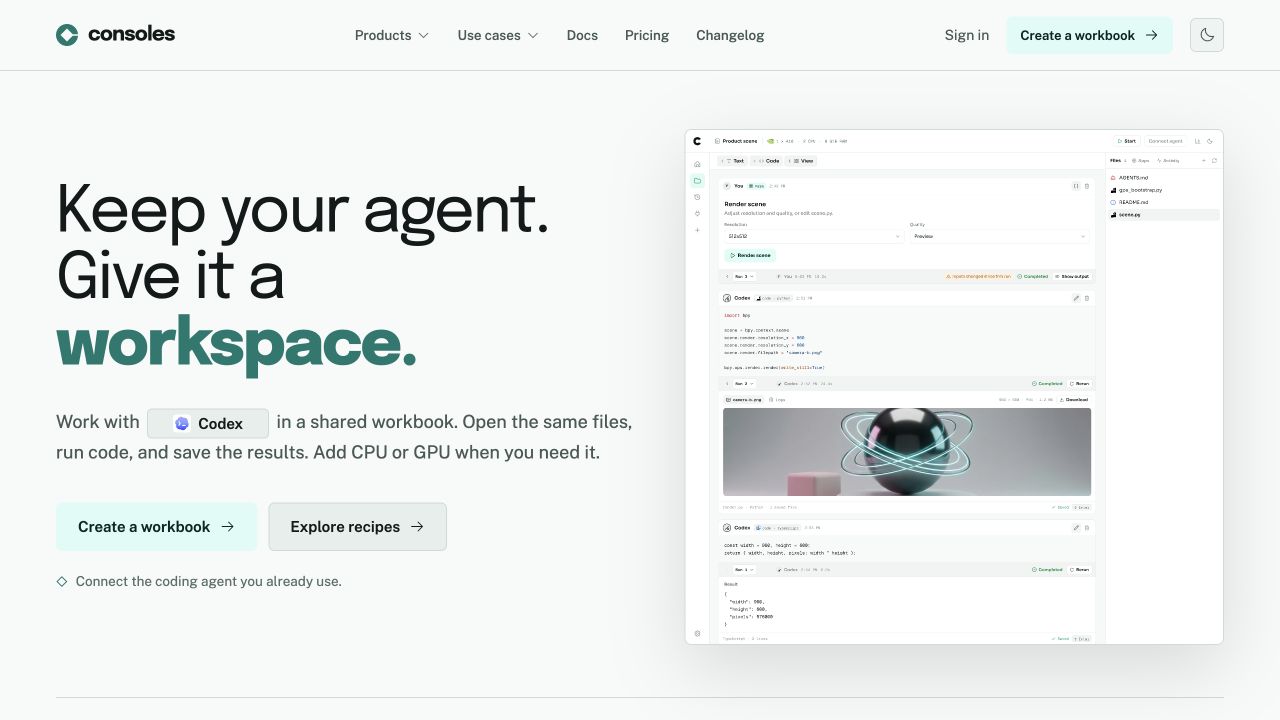
Consoles gives AI agents and their users a persistent place to work with files, code, and results. Its current web product centers on workbooks: a shared workspace that keeps outputs and execution history available as a task develops.
MTB’s scope covers agent systems, application development, and team workflows. The portfolio began with an agent desktop; the current web experience carries that workspace idea into browser-based workbooks and compute.
The challenge
An agent can produce a useful answer or run a command, but continuing the work requires the files, environment, and results around it. Longer tasks may also need packages, shell tools, Python, or GPU resources that the agent’s usual chat environment does not provide.
The product needed to connect those capabilities while keeping saved work distinct from a running machine. Ending a compute session should not mean losing the workbook that explains what happened.
Our approach
Workbooks bring code, files, outputs, and command history together. Agent execution can create linked cells, and running jobs publish progress back to the interface. Saved cells and jobs support reconnecting to the workspace after an interruption.
Compute is attached and started when the task needs it. The available architecture includes lightweight JavaScript/TypeScript execution and providers for native CPU or GPU work. Files are collected into durable storage and restored for a fresh compute session, subject to the service’s persistence limits.
The shutdown path attempts to save workspace files before releasing the provider. If synchronization is incomplete, the service records a warning and still attempts cleanup, keeping the user informed about the saved state.
Agent connections serve different purposes. MCP can expose scoped workbook tools, while the live connector records supported native agent events for later inspection. Capture access is separate from permission to execute compute. The interface lets users review work without keeping hardware running.
The outcome
The result is a workspace where agent work can continue beyond a single chat or machine session. Files, code, results, and recorded activity give users something they can inspect and reuse, with compute available for tasks that need it.
Users can revisit saved outputs, inspect run history, and prepare the next task from retained project context.
Work with us
Have a workflow that should be software?
Choose a project build or an ongoing monthly retainer for software, AI systems, and search visibility.
Discuss it with MTB Media